Reach out to us!



Reach out to us!

Reach iPhone users with reliable notifications through PWA technology.
Seamlessly integrate push notifications into your Progressive Web App with full iOS support. Reach iPhone users with reliable notifications through PWA technology.
Native-like push notifications through Progressive Web App technology
Easy "Add to Home Screen" installation for seamless user experience
Full Safari support with optimized prompts for iOS users
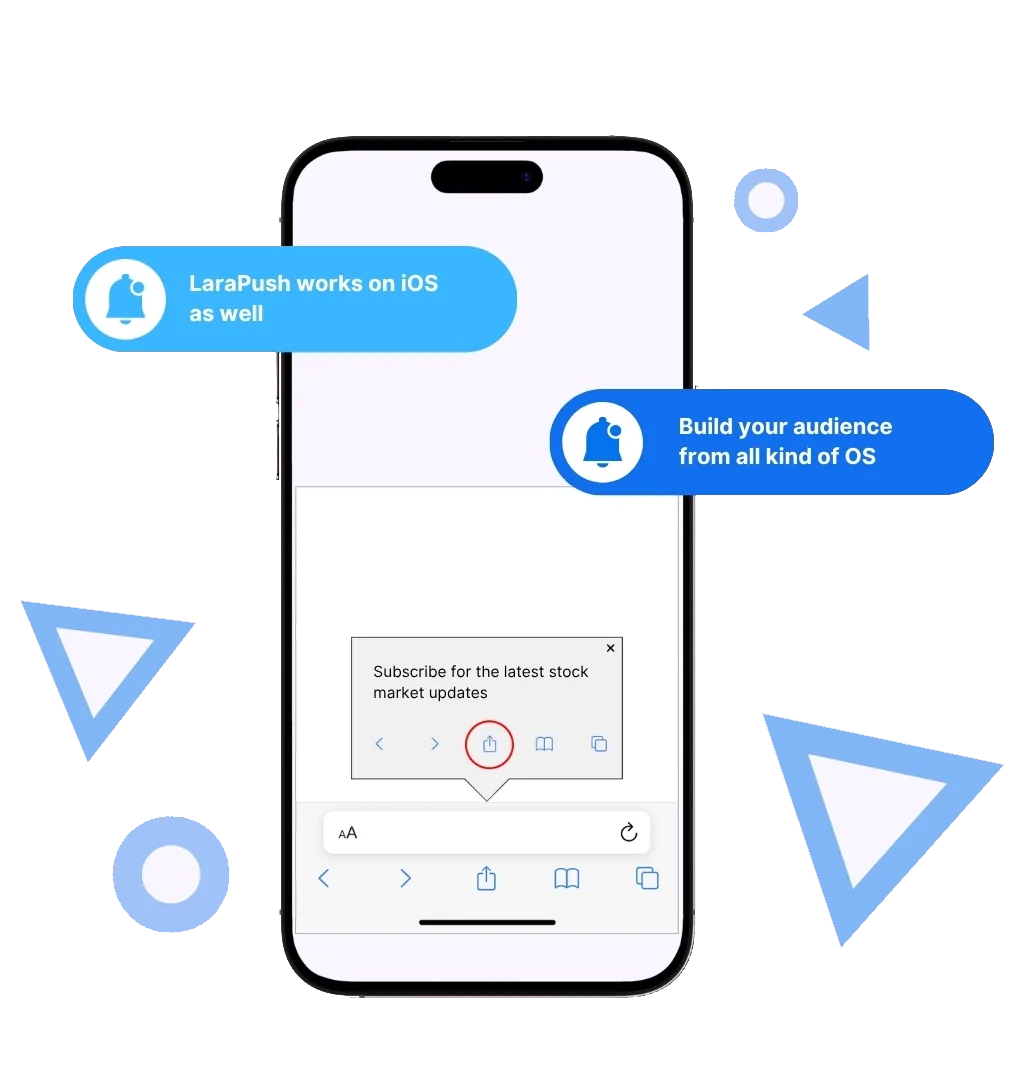
Everything you need to implement reliable push notifications for iOS users through Progressive Web App technology.
Complete PWA configuration from scratch including manifest files, service workers, and iOS-optimized prompts for first-time setups.
Seamlessly add iOS push notifications to your existing PWA without disrupting your current setup or workflow.
Custom prompts designed specifically for iOS users with clear instructions for home screen installation and notification permissions.
Built-in testing tools and validation system to ensure your iOS push notifications work perfectly before going live.
See how different industries leverage iOS push notifications through PWA technology to reach iPhone users effectively.
Send order updates, abandoned cart reminders, and exclusive offers directly to iPhone users through PWA notifications.
Deliver breaking news alerts and article updates to iOS users with instant PWA notifications that bypass app store requirements.
Notify students about new courses, assignment deadlines, and learning milestones through reliable iOS push notifications.
Send medication reminders, appointment notifications, and wellness tips to users' iPhones through PWA technology.
Set up iOS push notifications for your Progressive Web App in four simple steps, with full guidance and automated code generation.
Select between New PWA Setup for first-time implementations or Existing PWA Integration for current PWAs.
Fill in your PWA details and generate the necessary code snippets and configuration files automatically.
Add the generated code to your website's head section and upload the PWA files to your server's root directory.
Test the iOS push notification flow on Safari, validate the installation process, and confirm everything works perfectly.
Common questions about setting up iOS push notifications through Progressive Web App technology.
New PWA Setup is for websites that aren't currently Progressive Web Apps and includes complete PWA configuration with manifest.json, service workers, and icons. Existing PWA Integration is for sites that already have PWA functionality and only need to add iOS push notification support.
No! iOS push notifications work through Progressive Web App (PWA) technology. Users simply add your website to their home screen through Safari's 'Add to Home Screen' feature, creating an app-like experience without App Store installation.
For new PWA setup, you'll need to upload three files to your website's root directory: firebase-messaging-sw.js (service worker), manifest.json (PWA configuration), and icon512.png (app icon). These are provided in a downloadable ZIP package.When you upload a new video to YouTube, our system automatically detects it and sends push notifications directly to all your subscribers' devices. This bypasses YouTube's often-missed notification system, ensuring reliable delivery.
You can fully customize the prompt text that guides iOS users through the installation process. Common instructions include: '1. Tap below icon and Add to Home Screen 2. Open the app from home screen 3. Click on allow to get notified.' You can also set how often the prompt reappears.
iOS push notifications through PWAs work on iOS 16.4+ with Safari. This covers the vast majority of current iOS users. The system automatically detects compatible devices and only shows prompts to users who can receive notifications.
Test on an actual iOS device using Safari: visit your website, look for the iOS prompt, tap 'Add to Home Screen', open the installed app from your home screen, and allow notifications when prompted. You should then be able to receive push notifications.
Yes! If you already have a PWA with Firebase, choose the 'Existing PWA Integration' option. You'll provide your current service worker path, and we'll give you the additional Firebase configuration to add to your existing setup without disrupting your current functionality.
iOS requires apps to be added to the home screen to receive push notifications. Users who don't complete this step won't receive notifications. The iOS prompt is designed to guide users through this process with clear, customizable instructions.
See how LaraPush’s features work together for even greater engagement and impact.
Join thousands of websites using LaraPush to deliver the right notifications to the right audience at the right time. Get started in minutes.

LaraPush is a self hosted push notification service. The USP of our brand is we provide a life time deal and you don’t have to pay for it again.
©LaraPush 2026. All rights reserved